

Paper-Based vs Digital Warehouse Processes
Many growing businesses start with paper-based warehouse processes because they are simple, familiar, and easy to set up. Pick lists can be printed, stock movements can be written down, and packing checks can be handled manually.
But as order volumes grow, paper-based processes often become slow, error-prone, difficult to audit, and hard to scale.
This guide compares paper-based and digital warehouse processes, explains when paper starts to break, and shows how digital workflows improve accuracy, visibility, and fulfilment control.
What Are Paper-Based Warehouse Processes?
Paper-based warehouse processes use printed documents, handwritten notes, manual checklists, spreadsheets, and physical paperwork to manage warehouse activity.
Common paper-based processes include:
- Printed pick lists
- Paper packing notes
- Handwritten stock adjustments
- Manual goods-in sheets
- Printed dispatch paperwork
- Manual stock count sheets
- Paper return forms
- Whiteboards for backlog or workload tracking
Paper can work when operations are small, simple, and low volume. But it becomes harder to control as fulfilment complexity increases.
What Are Digital Warehouse Processes?
Digital warehouse processes use software, mobile devices, barcode scanning, digital tasks, automated workflows, and real-time updates to manage warehouse activity.
Instead of printing a pick list, the system can create a digital picking task. Instead of writing down a stock movement, the warehouse team can scan the product and location. Instead of manually updating order status, the system can update fulfilment progress as work is completed.
Digital warehouse processes are a practical part of fulfilment automation.
Paper-Based vs Digital Warehouse Processes: Quick Comparison
| Area | Paper-Based Process | Digital Process |
|---|---|---|
| Picking | Printed pick lists | Digital pick tasks with scanning |
| Stock movement | Manual notes or delayed updates | Recorded at point of movement |
| Inventory visibility | Often delayed | Closer to real time |
| Accuracy control | Relies on visual checks | Uses validation and scanning |
| Audit trail | Limited | User, time, location, and action recorded |
| Reporting | Manual or spreadsheet-based | System-driven dashboards and KPIs |
Why Businesses Start with Paper
Paper-based processes are common because they are easy to start with.
They may be suitable when:
- Order volumes are low
- The warehouse is small
- The product range is simple
- There are few sales channels
- Stock locations are easy to remember
- The team is experienced and stable
- There is limited budget for systems
There is nothing wrong with using paper at the very early stage. The issue is knowing when paper is no longer suitable.
When Paper-Based Processes Start to Break
Paper-based processes usually start to fail when fulfilment complexity increases.
Warning signs include:
- Picking errors are increasing
- Stock figures are not trusted
- Pick lists are reprinted several times per day
- Warehouse teams rely on memory
- Stock movements are recorded late
- Customer service cannot see order status clearly
- Backlog is tracked manually
- Returns sit unprocessed
- Managers rely on spreadsheets to understand performance
- More staff are needed just to keep the same service level
If these issues are common, the business may need to move from paper-based activity to digital warehouse workflows.
1. Picking: Paper Pick Lists vs Digital Pick Tasks
Paper pick lists are simple, but they can create problems as order volume grows.
Common issues include:
- Pick lists becoming outdated after stock changes
- Pickers visiting locations in inefficient order
- Manual ticking or crossing out
- Hard-to-read notes
- No real-time visibility of pick progress
- No automatic validation of product or location
Digital pick tasks can guide pickers through work more clearly and support barcode validation.
Digital picking can help with:
- Location-based pick sequencing
- Batch, zone, wave, or trolley picking
- SKU validation
- Quantity confirmation
- Pick progress tracking
- Exception reporting
Related guide: Picking Methods Explained: Single, Batch, Zone and Wave Picking
2. Accuracy: Manual Checks vs Barcode Validation
Paper-based processes rely heavily on people reading, checking, remembering, and recording correctly.
That creates risk when products look similar, locations are close together, or the warehouse is under pressure.
Barcode scanning can validate:
- Correct location
- Correct SKU
- Correct quantity
- Correct tote or order
- Correct dispatch item
Scanning helps reduce avoidable picking, packing, stock movement, and dispatch errors.
Related guide: Barcode Scanning in Warehouse Operations
3. Stock Movement: Manual Notes vs Real-Time Updates
Stock movements are difficult to control with paper.
If stock is moved from one location to another but the system is updated later, stock visibility becomes unreliable. Pickers may search in the wrong location or customer orders may be accepted against stock that cannot be found.
Digital stock movement processes help record activity as it happens.
This supports:
- Better location accuracy
- Fewer failed picks
- More reliable replenishment
- Improved cycle counting
- Clearer audit trails
- Better inventory accuracy
For a deeper guide, read: Inventory Accuracy: Why It Breaks and How to Fix It
4. Packing: Paper Checks vs Digital Packing Workflows
Packing is often the final point where errors can be caught before an order reaches the customer.
Paper packing checks may work for simple orders, but they can be weaker when orders are complex, batch-picked, or time-sensitive.
Digital packing workflows can support:
- Order scan validation
- Product scan checks
- Quantity confirmation
- Carrier service selection
- Label generation
- Dispatch confirmation
- Exception handling
This improves packing accuracy and reduces avoidable returns caused by wrong-item shipments.
Related guide: How to Improve Packing Bench Efficiency
5. Dispatch: Manual Labels vs Integrated Carrier Flow
Manual carrier label creation can slow dispatch and increase errors.
Common issues include:
- Wrong carrier service selected
- Address copied incorrectly
- Tracking numbers not updated quickly
- Carrier labels printed separately from packing workflow
- Dispatch confirmation delayed
- Missed carrier cut-offs
Digital carrier workflows can connect packing, label creation, dispatch confirmation, carrier handover, and tracking updates.
This improves both warehouse control and customer service visibility.
6. Inventory: Spreadsheet Control vs System Visibility
Spreadsheets are useful for analysis, but they are risky as the main operational stock control method.
Spreadsheet-based stock control often creates problems such as:
- Multiple versions of the truth
- Delayed updates
- Manual entry errors
- Poor audit trails
- No live stock availability
- Difficulty managing allocated stock
- Overselling across sales channels
Digital inventory visibility helps teams understand what stock is physical, allocated, available, reserved, damaged, returned, or unavailable.
Related guides:
- Available Stock vs Physical Stock vs Allocated Stock
- How to Prevent Overselling Across Sales Channels
7. Replenishment: Reactive Checks vs Trigger-Based Tasks
Paper-based replenishment often depends on someone noticing that a pick face is low or empty.
This creates avoidable failed picks and emergency stock movements.
Digital replenishment can trigger tasks based on:
- Minimum pick-face quantity
- Allocated order demand
- Upcoming pick waves
- Fast-moving SKU activity
- Failed pick risk
- Peak season demand
This helps keep pick locations stocked before pickers run into problems.
Related guide: Stock Replenishment Best Practices for Fulfilment Teams
8. Returns: Paper Forms vs Structured Return Workflows
Returns can quickly damage stock accuracy if they are handled manually or inconsistently.
Paper-based return processes may miss important details such as:
- Original order reference
- Return reason
- Product condition
- Inspection status
- Refund status
- Restock decision
- Quarantine status
Digital returns workflows can help teams inspect goods, update stock status, process refunds, and report return reasons more consistently.
Related guide: Returns Management Best Practices
9. Backlog: Whiteboards vs Live Workload Visibility
Backlog often starts small and grows quickly when teams lack visibility.
Whiteboards and spreadsheets can help temporarily, but they are often out of date as soon as orders move.
Digital backlog visibility can show:
- Orders waiting to pick
- Orders picked but not packed
- Orders packed but not dispatched
- Orders close to carrier cut-off
- Orders in exception queues
- Backlog by age, channel, warehouse, or reason
Related guide: Backlog Management: How to Recover Without Panic
10. Reporting: Manual Reports vs Operational Dashboards
Paper-based and spreadsheet-heavy operations often struggle to see performance clearly.
Managers may spend hours preparing reports instead of fixing operational problems.
Digital processes make it easier to track:
- Picking accuracy
- Order accuracy
- On-time dispatch
- Backlog volume
- Inventory accuracy
- Returns rate
- Fulfilment cost per order
- Warehouse productivity
Related guide: Fulfilment KPIs Every Operations Leader Should Track
Benefits of Moving from Paper to Digital Warehouse Processes
Moving from paper to digital warehouse workflows can improve fulfilment performance in several ways.
- Fewer picking and packing errors
- Better stock accuracy
- Reduced manual admin
- Improved warehouse productivity
- Faster dispatch
- Better customer service visibility
- Clearer audit trails
- Improved backlog control
- More reliable fulfilment KPIs
- Better peak season resilience
The biggest benefit is control. Digital processes make it easier to see what is happening and act before problems escalate.
When Should You Move Away from Paper?
You should consider moving away from paper-based warehouse processes when manual workflows start limiting accuracy, speed, visibility, or growth.
Common signs include:
- Order volumes are increasing
- Picking errors are rising
- Stock figures are not trusted
- Customer service cannot see order status
- Backlog is managed manually
- Warehouse supervisors spend too much time chasing updates
- More staff are needed just to maintain output
- Peak periods create operational chaos
- Manual work is increasing faster than revenue
At that point, digital warehouse processes are no longer a “nice to have”. They become part of operational control.
What Should You Digitise First?
Do not digitise everything at once. Start with the areas causing the most operational pain.
| Problem | First Digital Improvement |
|---|---|
| Picking errors | Digital pick lists and barcode scanning |
| Poor stock visibility | Digital stock movements and location control |
| Slow packing | Digital packing checks and carrier label flow |
| Overselling | Available stock and allocation visibility |
| Backlog confusion | Live backlog and order status dashboards |
| Manual reporting | Fulfilment KPI dashboards |
| Returns delays | Structured digital returns workflow |
Common Mistakes When Digitising Warehouse Processes
Digital tools only work well when the underlying process is clear.
Common mistakes include:
- Digitising a broken process without improving it first
- Not training warehouse teams properly
- Allowing staff to bypass scans or digital steps
- Keeping paper processes running in parallel for too long
- Not cleaning up product and location data
- Ignoring exception workflows
- Failing to measure performance before and after implementation
The goal is not just to remove paper. The goal is to create a more accurate, visible, and scalable fulfilment operation.
Paper-Based vs Digital: Which Is Right for Your Operation?
Paper may still be suitable for very small, low-volume, simple operations.
Digital warehouse processes become more important when the business has:
- Higher order volumes
- Multiple sales channels
- Several warehouse locations
- Frequent stock discrepancies
- Growing customer service pressure
- Marketplace SLA requirements
- Complex picking or packing workflows
- Peak season demand spikes
Most growing fulfilment operations eventually need digital workflows to maintain control.
How Modulus365 Helps Digitise Warehouse Processes
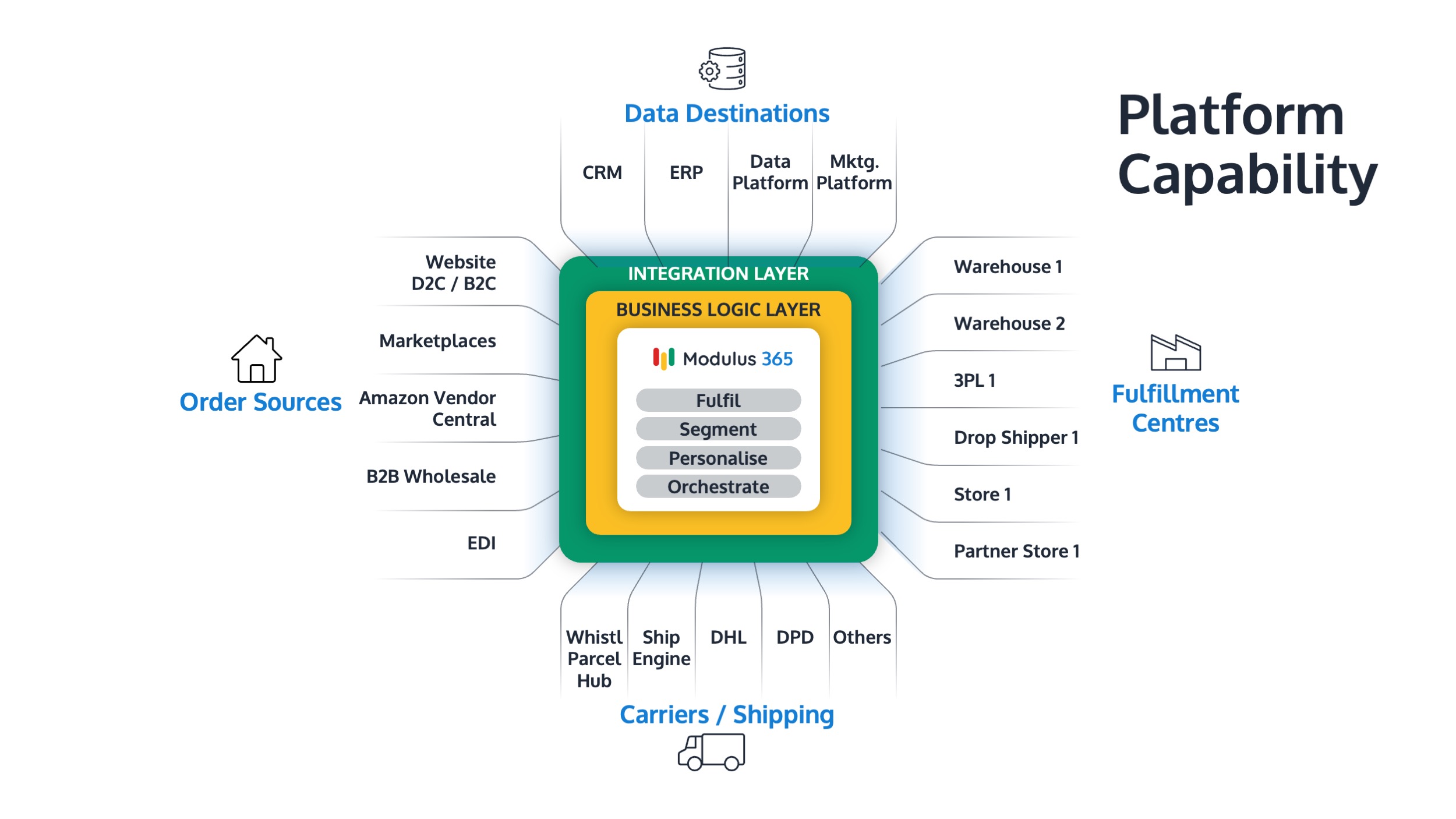
Modulus365 helps businesses move from manual, paper-based fulfilment processes to connected digital workflows across order management, warehouse execution, inventory visibility, barcode scanning, carrier integration, returns, and reporting.
For Sage businesses, Modulus365 can work alongside the ERP as the fulfilment operations layer, helping teams modernise warehouse processes without replacing the financial system.
👉 Learn more about Modulus365 for Sage.
Related FOA Guides
Moving from paper-based warehouse processes to digital workflows affects picking, stock control, packing, dispatch, returns, backlog visibility, and fulfilment reporting. These guides explain the practical steps:
- What is Fulfilment Automation?
- Barcode Scanning in Warehouse Operations
- How to Improve Warehouse Picking Accuracy
- How to Improve Packing Bench Efficiency
- Inventory Accuracy: Why It Breaks and How to Fix It
- Backlog Management: How to Recover Without Panic
- How to Improve Dispatch Performance
- Fulfilment KPIs Every Operations Leader Should Track
Ready to Move Beyond Paper-Based Warehouse Processes?
If paper pick lists, manual stock updates, spreadsheets, or disconnected warehouse workflows are slowing your fulfilment operation down, Modulus365 can help bring digital control and visibility into your warehouse processes.
Frequently Asked Questions
What are paper-based warehouse processes?
Paper-based warehouse processes use printed documents, handwritten notes, manual checklists, spreadsheets, and physical paperwork to manage warehouse activity.
What are digital warehouse processes?
Digital warehouse processes use software, mobile devices, barcode scanning, digital tasks, automated workflows, and real-time updates to manage warehouse activity.
When should a warehouse move away from paper?
A warehouse should move away from paper when manual processes cause picking errors, poor stock visibility, slow dispatch, backlog, manual reporting, or difficulty scaling order volumes.
What are the benefits of digital warehouse processes?
Digital warehouse processes improve accuracy, visibility, productivity, audit trails, order status tracking, inventory control, and fulfilment performance.
Is barcode scanning part of digital warehouse operations?
Yes. Barcode scanning is one of the most practical digital warehouse tools because it validates products, locations, quantities, orders, and stock movements.